Artifacts
For everyone
What the assistant can hand you besides text: previews, documents and files, and where to find them again.
An artifact is a substantial, self-contained thing the assistant makes for you, an app, a document, a diagram, a table, a report or an image, shown in a side panel beside the chat rather than buried in the transcript. There are two kinds: text artifacts, which the model writes, and file artifacts, which a Python run produces.
Text artifacts
The model writes an artifact when the content is worth keeping apart from the answer. The kinds are:
| Kind | Shown as |
|---|---|
| HTML | a live page, in a sandboxed frame |
| React | a live component, in a sandboxed frame |
| Mermaid | a rendered diagram |
| SVG | a preview |
| Markdown | rendered text |
| Table (CSV) | a grid |
| Code | source, not previewed |
Previews run in sandboxed frames with no network access: no cookies, no storage, no requests out, no remote images. See what rendered artifacts can do.
Every change is a new version. When you ask for an edit, the model can rewrite the artifact whole, or send targeted replacements that are applied to the latest version, so it does not re-emit a long document to change a sentence. The panel keeps the history and lets you move between versions.
Whether a model makes artifacts follows the model's setting in the Workspace → Models tab: on for a model that can call tools unless the setting says otherwise.
File artifacts
A file produced by Python in the browser sandbox (a spreadsheet, a PDF, a Word document, a chart) is a file artifact. The card under the output looks like a text artifact's: name, kind and size, with Download and Open in panel.
- Versions follow the name. When you ask for a change and the assistant writes
report.pdfagain, that is v2 of the same artifact; an identical file adds nothing. - A card always opens what it showed. An older card in the chat opens the version it produced at the time, even after later versions exist; the panel moves you between versions.
- Produced files are kept for 30 days by default (an administrator sets the period, or no expiry, under Administration → Storage), per user, and survive reloads and other devices, so a chart or a document is still there the next day, however the assistant ran the code.
Images
A raster image a run produces (PNG, JPEG, GIF or WebP) is shown inline
under its card, without a click. Charts the assistant draws arrive this way, as
figure-1.png and so on (or under the name you asked for; see
Charts). SVG is never shown inline, because an
SVG can carry script, and neither are formats a browser may not decode; those
keep the click-to-preview and the download.
The Artifacts panel
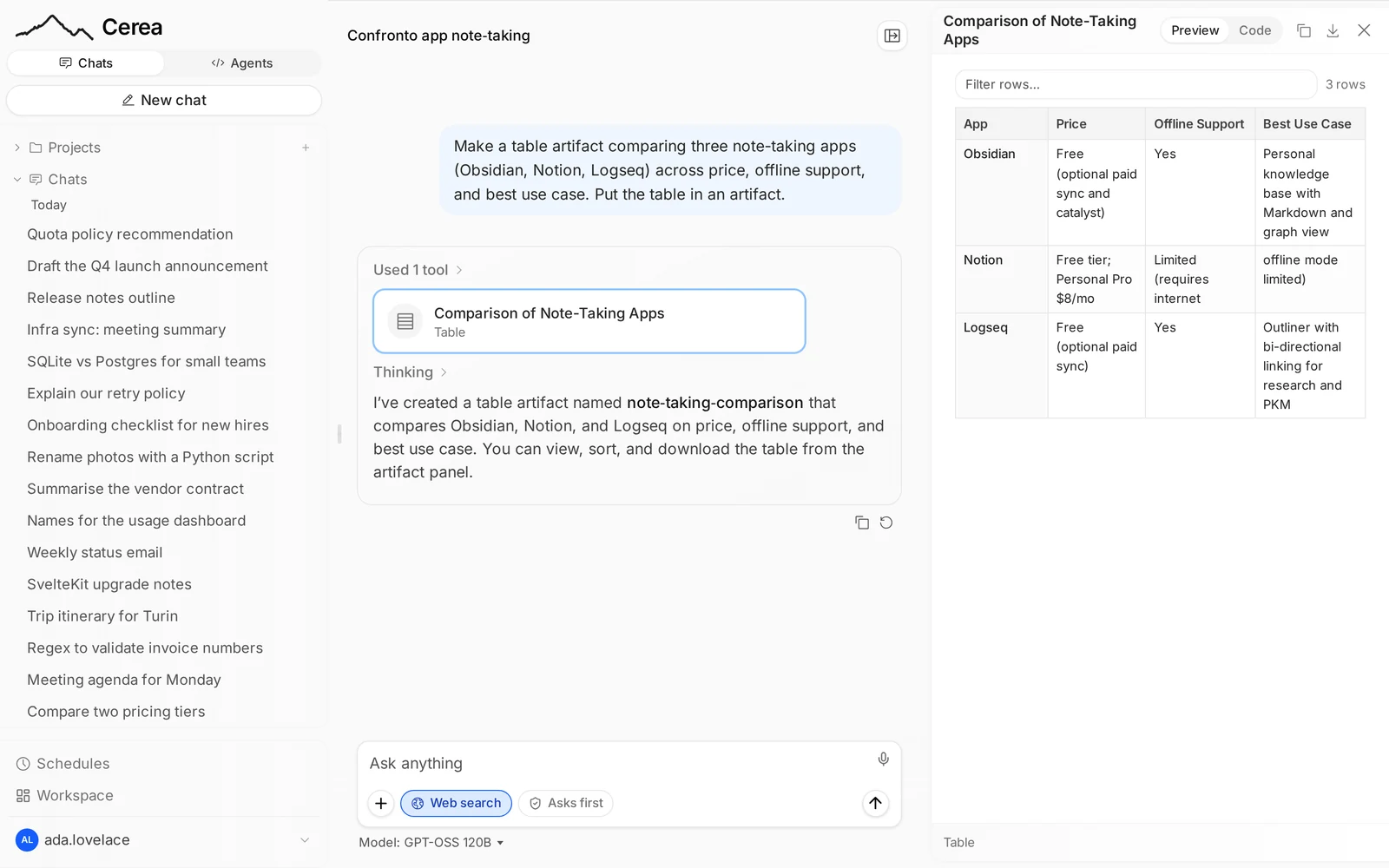
The chat's menu opens the Artifacts panel in the same side pane the previews use, so the list sits beside the chat instead of replacing it. It lists everything this chat produced, in the order it appeared: the text artifacts, and the files the assistant's code wrote. Each row opens the artifact in the panel with its versions and preview; each file has its own Download, and the list has a reload button.
The panel is per chat: it lists the open chat's files, not other chats', and files older than the retention period are gone.
The Artifacts tabs
The panel shows one chat. To find something the assistant made in an older chat, use an Artifacts tab:
- a project's page has an Artifacts tab next to Chats and
Settings (
/projects/<id>?tab=artifacts): what the assistant made in your own chats of that project; - the Chats page (
/chats) has an Artifacts tab (?tab=artifacts): the same for chats that are in no project.
Each row is one artifact, newest first: its name, what kind it is, its latest version and how many versions there are, the chat it came from and when. The name and the chat open that chat with the artifact in the side panel; the download button saves the latest version. A box above the list filters by name, and more rows load as you scroll. Files you attached to a message are not listed, only what the assistant made: text artifacts, files from its code and Office documents from the document tools.
The tab lists only your own chats. In a shared project, the artifacts of a colleague's chats are not listed and not counted. There is nothing to delete on the tab: an artifact belongs to its chat and goes when you delete the chat (or after the retention period, for files).